Base64: What It Is and When to Use It
Updated
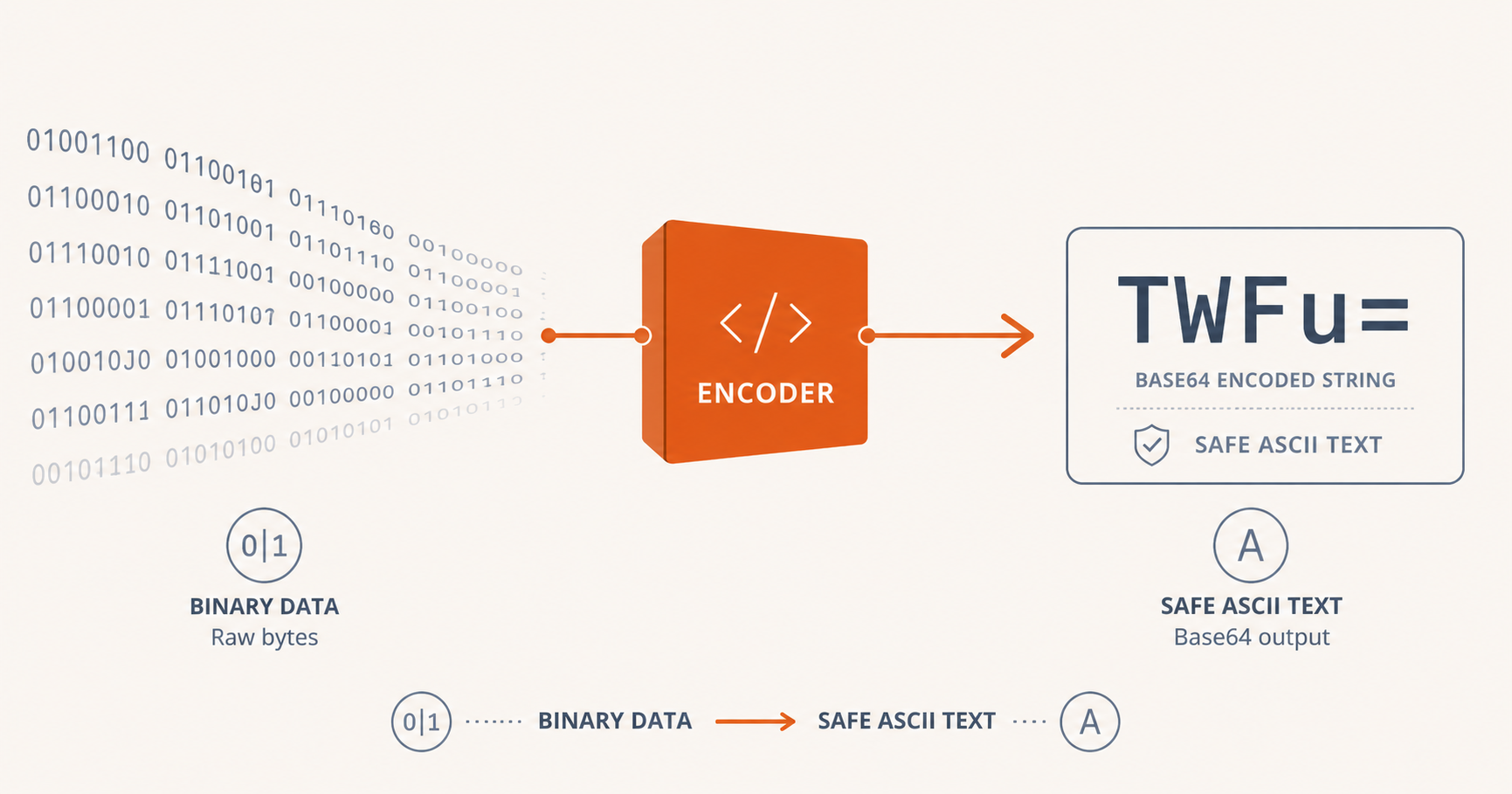
If you've spent any time around web development, you've encountered Base64. It's the string of seemingly random letters, numbers, and padding signs (=) that appears in data URIs, email attachments, JWT tokens, and API responses. But what exactly is it, and when should you (or shouldn't you) use it?
What Is Base64?
Base64 is an encoding scheme that converts binary data into a restricted set of 64 ASCII characters: A–Z, a–z, 0–9, +, and /, with = used for padding. It is not encryption or compression; it makes data larger, not smaller, and offers no secrecy whatsoever.
The purpose of Base64 is simple: to transmit binary data over text-only channels. Many protocols, including email (SMTP), HTTP headers, JSON, XML, and early web standards, were designed to carry text reliably but not arbitrary binary bytes. Base64 bridges that gap by re-encoding bytes as safe, printable characters.
How It Works
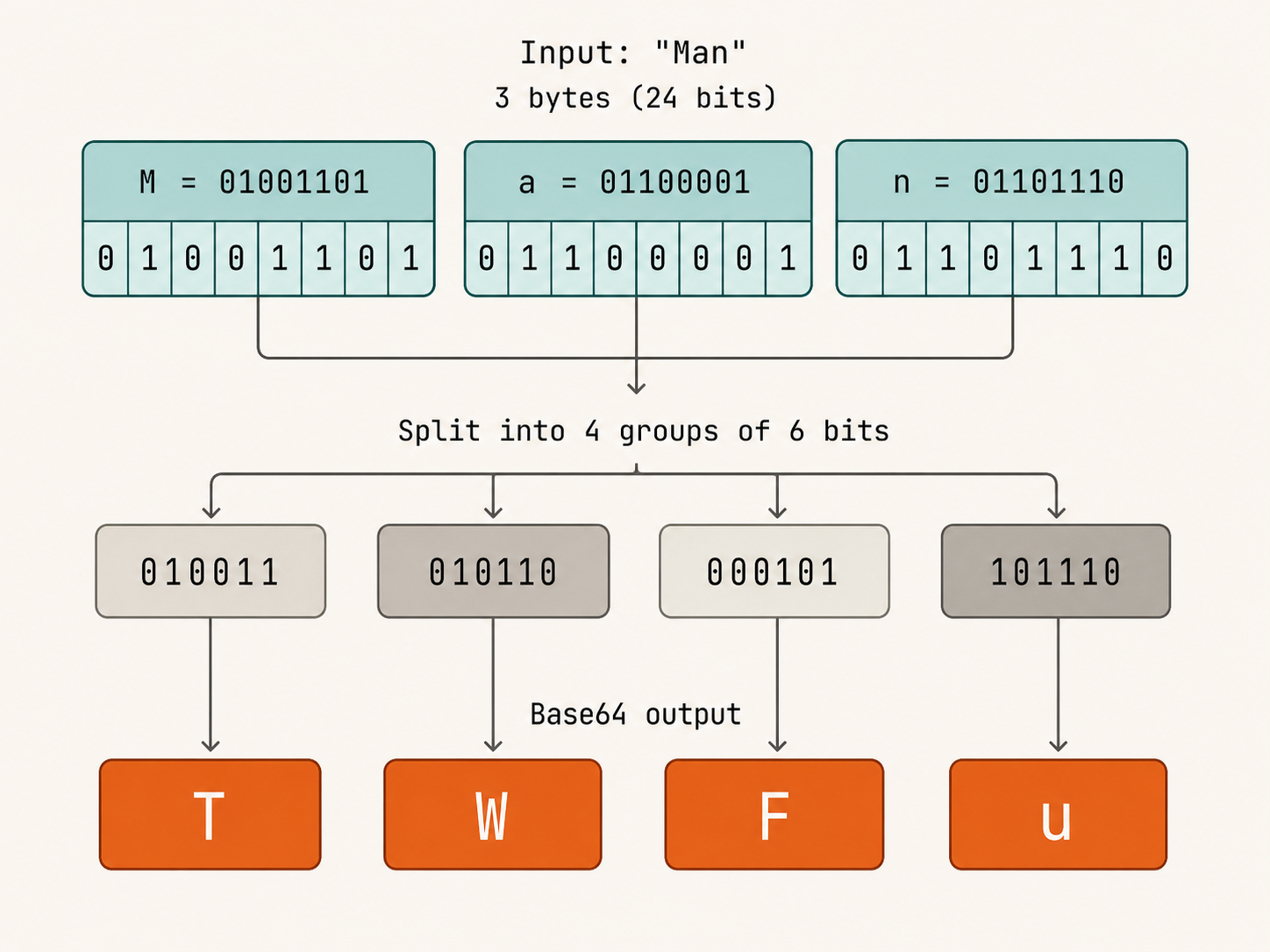
Binary data is organised in 8-bit bytes (octets). Base64 reinterprets the data in groups of 3 bytes (24 bits) and splits each group into four 6-bit values. Since 2⁶ = 64, each 6-bit value maps to one of 64 printable characters.
When the input length is not divisible by 3, padding (=) is added to make the output a multiple of 4 characters. One or two padding signs at the end of a Base64 string is completely normal.
Here's a concrete example using a 3-byte input:
| Input bytes | Binary (24 bits) | 6-bit groups | Base64 output |
|---|---|---|---|
Man |
01001101 01100001 01101110 |
010011 010110 000101 101110 |
TWFu |
The word "Man" (3 bytes) becomes TWFu (4 characters). Our free Base64 Encoder lets you experiment with this mapping in real time.
When to Use Base64
1. Embedding Images in HTML/CSS (Data URIs)
One of the most common uses is embedding small images directly in HTML or CSS as data URIs:
<img src="data:image/png;base64,iVBORw0KGgoAAAANSUhEUgAAAAUA..." alt="icon" />
This eliminates an HTTP request, which can improve load times for very small assets. However, a Base64-encoded image is roughly 33% larger than the original binary, so it's only beneficial for icons, small logos, and inline SVGs under a few kilobytes.
2. HTTP Basic Authentication
The Authorization: Basic header requires credentials in the format username:password, Base64-encoded:
Authorization: Basic dXNlcm5hbWU6cGFzc3dvcmQ=
Important: Base64 provides no security here; it's easily decoded. Always use HTTPS when sending Basic auth headers.
3. Email Attachments (MIME)
Email predates the web, and early SMTP servers could only handle 7-bit ASCII text. The MIME (Multipurpose Internet Mail Extensions) standard solved this by encoding attachments as Base64. Every email attachment you've ever received was likely Base64-encoded in transit.
4. JWT and SAML Tokens
JSON Web Tokens (JWT) use a URL-safe variant of Base64 (Base64url, where + becomes - and / becomes _) to encode the header, payload, and signature. This lets tokens carry structured data in a compact, URL-safe string.
5. Storing Binary Data in JSON or XML
Need to include a small binary blob in a JSON API response? Base64 is the standard approach. API formats like OpenAPI/Swagger use Base64 to describe binary fields in JSON schemas.
When NOT to Use Base64
1. As a Security Measure
Base64 is not encryption. Decoding is trivial; any developer can do it in one line of JavaScript:
atob('dXNlcm5hbWU6cGFzc3dvcmQ=') // "username:password"
Never use Base64 to protect sensitive data. Reach for AES, bcrypt, or another proper cryptographic primitive instead.
2. For Large Files
Base64 increases data size by approximately 33%. If you're transferring multi-megabyte files, the overhead becomes significant, both in bandwidth and in the memory required to hold the string representation. For large payloads, prefer binary transfer (multipart/form-data, ArrayBuffer, or direct byte streams).
3. When Native Binary Support Is Available
Many modern APIs, including the Fetch API, WebSocket, and IndexedDB, handle binary data natively via ArrayBuffer, Blob, or Uint8Array. Using Base64 in these contexts is an unnecessary intermediate step that adds complexity and size overhead.
Performance Considerations
The Base64 encode/decode performance in modern browsers is impressive. Our benchmarks using the built-in btoa() and atob() functions show consistent throughput of 200–500 MB/s on desktop hardware. For small payloads (under 1 MB), the overhead is negligible.
Larger payloads in resource-constrained environments (older mobile devices, Web Workers with shared memory) may show measurable latency. If performance matters, profile with your target data sizes and consider streaming approaches.
A Quick Reference Table
| Use Case | ✅ / ❌ | Reason |
|---|---|---|
| Email attachments | ✅ Standard | Required by SMTP/MIME |
| Data URIs (tiny assets) | ✅ Useful | Eliminates HTTP requests |
| HTTP Basic auth | ✅ Acceptable | Use with HTTPS only |
| JWT tokens | ✅ Required | Per the JWT spec |
| Storing secrets | ❌ Never | Easily decoded |
| Large file transfer | ❌ Avoid | 33% size overhead |
| API binary fields (JSON) | ✅ Pragmatic | No native binary in JSON |
Try It Yourself
Want to see Base64 in action? Use our free Base64 Encoder and Base64 Decoder; both run entirely in your browser with zero data sent to any server. You can also try the Image to Base64 converter to see how images are encoded.
Further Reading
- RFC 4648: The Base16, Base32, and Base64 Data Encodings
- RFC 2045: MIME Part One: Format of Internet Message Bodies
- MDN: btoa() and atob(): JavaScript Base64 functions