Why Your Developer Tools Should Run in the Browser (And Never Touch a Server)
Updated
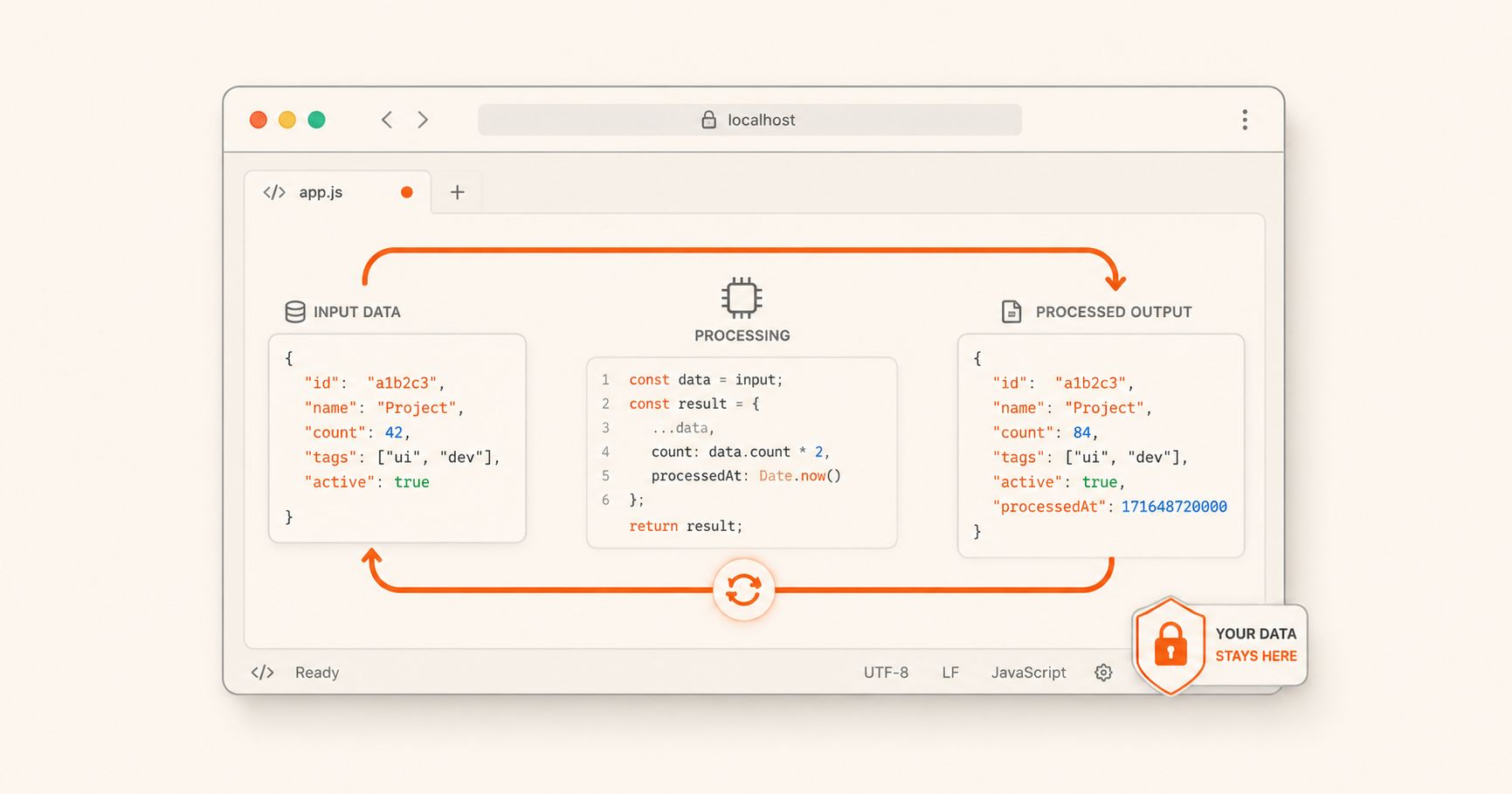
Every developer has been there: you need to quickly Base64-encode a string, format a blob of JSON, or check if a cron expression is valid. You reach for a web search, click the first online tool that looks right, paste your data, and only afterwards wonder: did that site just send your data to a server somewhere?
It's a valid concern. In an era of increasing data breaches, API surveillance, and third-party tracking, the tools we use daily deserve scrutiny. This post explores why browser-based, client-side tools (tools that run entirely in your browser with zero server interaction) are the gold standard for privacy-conscious development work.
The Problem with Traditional Online Tools
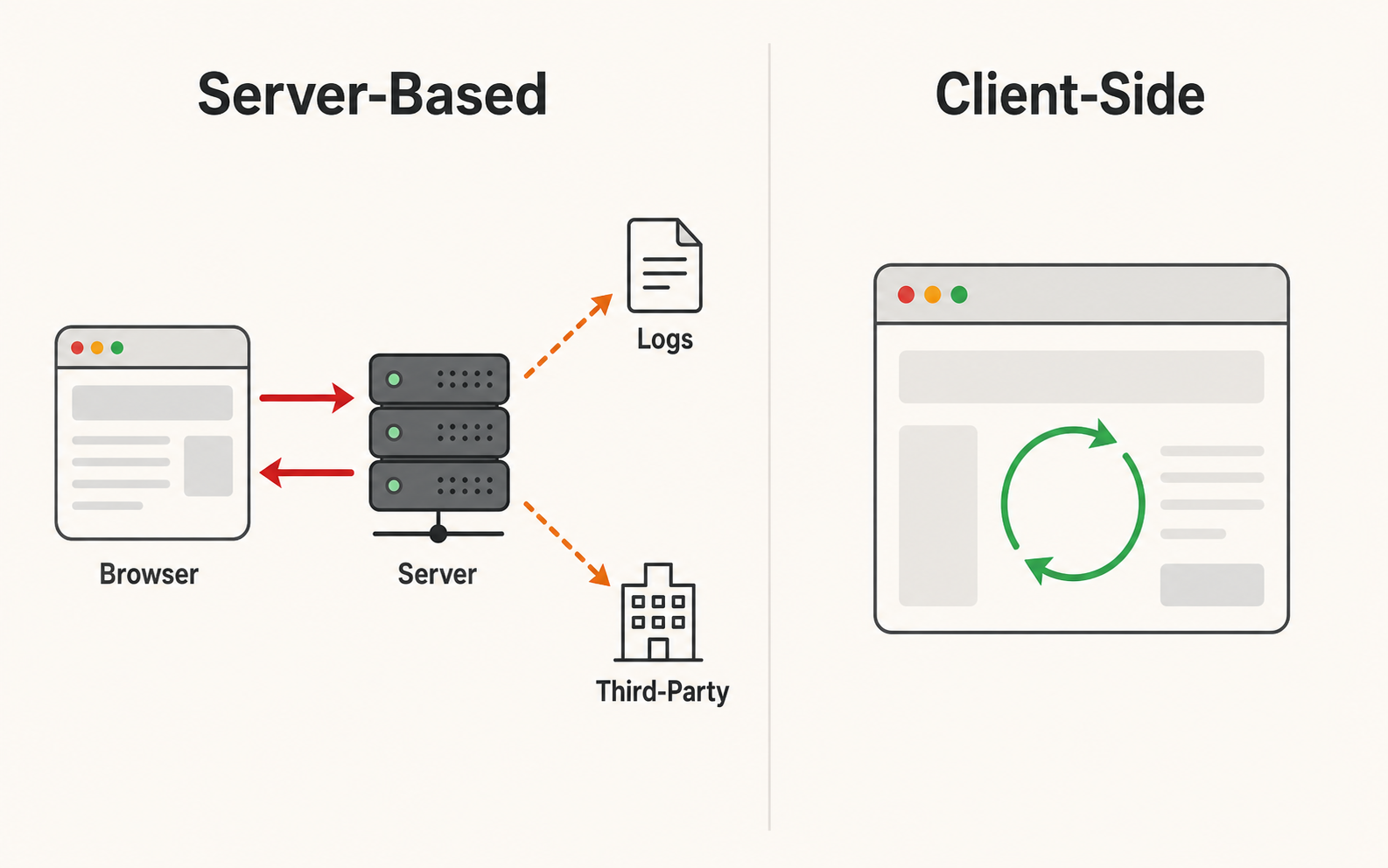
Most online developer utilities follow a simple architecture: your data goes from the browser to a server, the server processes it, and the result comes back. While convenient, this model has several privacy implications:
- Data in transit: Your input travels across the internet, potentially exposed to intermediaries or logs.
- Server-side storage: Many services log or store submitted data, sometimes for debugging, sometimes for analytics, and sometimes for training machine learning models.
- Third-party exposure: The server might relay your data to analytics services, CDNs, or advertising networks.
- Compliance risk: If you're working with personally identifiable information (PII), API keys, or proprietary business data, sending it to an unknown server may violate compliance requirements.
These aren't hypothetical concerns. Large-scale data scraping from online tools, including encoding utilities, formatters, and converters, has been documented repeatedly. The safest approach is to never send the data in the first place.
How Client-Side Tools Eliminate the Risk
Modern browsers are extraordinarily capable. Thanks to advances in JavaScript, WebAssembly, and browser APIs, almost any computation that used to require a server can now run directly in the browser:
- Text processing: Encoding, decoding, formatting, minifying, and transforming data require only string manipulation, JavaScript's native territory.
- File handling: The File API and Blob API let you read, process, and save files without ever uploading them.
- Cryptographic operations: The Web Crypto API provides hardware-accelerated hashing, encryption, and key generation directly in the browser.
- Binary data manipulation: ArrayBuffer, DataView, and TypedArrays handle binary encoding directly (including Base64, hex, and byte-level operations).
When a tool is genuinely client-side, the data lifecycle is simple: input enters the page, the page processes it, the user sees the result. No network request ever leaves the machine. The network tab in your browser's DevTools will confirm zero outbound calls during processing.
What to Look For in a Privacy-First Tool
When evaluating any online developer utility, ask these questions:
Does the page make network requests while processing? Open your browser's DevTools (F12), switch to the Network tab, and try the tool. If you see any XHR or fetch requests, data is being sent somewhere.
Does the site use analytics? Most analytics scripts are harmless for page views, but be wary of tools that send input data to analytics endpoints. Look for tools that use privacy-respecting analytics (or none at all).
Is the source code available or inspectable? The ability to verify what a tool does is the ultimate privacy guarantee. Many client-side tools ship readable JavaScript that you can inspect right in the browser.
Does the site have a clear privacy policy? A good privacy policy explicitly states whether data is stored, shared, or logged. If the policy is vague or missing, assume the worst.
The Ultim8Soft Approach
At Ultim8Soft, every tool is built on a simple principle: your data never leaves your device. Our entire suite of utilities, from the Base64 Encoder to the JSON Formatter to the JWT Decoder, runs entirely in the browser. There are no backend servers, no API calls during processing, and no data logging.
You can verify this yourself: open any Ultim8Soft tool, open DevTools, and watch the Network tab. The only request you'll see is the initial page load. Every encode, decode, format, and conversion happens locally in JavaScript.
We do use standard page-view analytics (Google Analytics) to count visits, and some pages display ads served by Google AdSense. These are page-level scripts that cannot read what you paste into a tool: your input stays in your browser tab and never reaches any server. The privacy-first design is about tool inputs, not about page-view instrumentation. We're upfront about the difference because pretending the site is analytics-free would be dishonest; we value your trust more than a marketing pitch.
The Bottom Line
Developer tools don't need to be server-based. Modern browsers are powerful enough to handle encoding, decoding, formatting, and transformation tasks entirely on the client side. By choosing tools that respect this boundary, you protect your data, your privacy, and your peace of mind.
Next time you need a quick utility, check the Network tab before you paste anything sensitive. And if you're building tools for others, consider whether a server is truly necessary; often, it isn't.
For a deeper look at how specific encoding algorithms work in the browser, check out our post on Base64: What It Is and When to Use It.